
Category Archives: Technology

AI Sexting: How Conversational AI Is Reshaping Intimacy in the Digital Age

Category : Technology

AI Sexting: How Conversational AI Is Reshaping Intimacy in the Digital Age

Intimacy has always found a way to adapt to the tools of its time. From handwritten love letters to late-night phone calls, from instant messaging to video chat, the mediums change but the human need for connection stays constant. The newest chapter in that story is ai sexting — a fast-growing category of conversational platforms where people exchange flirtatious, romantic, or explicitly intimate messages with an AI companion. It is part technology story, part psychology story, and part cultural shift, and it deserves a closer look than the headlines usually give it.

This article explores what AI sexting actually is, why it has gained traction so quickly, how the underlying technology works, what risks users should keep in mind, and where the whole space seems to be heading next.

What Exactly Is AI Sexting?

AI sexting refers to text-based intimate conversations carried out with a conversational AI model rather than a human partner. The user types messages, and the AI responds in character — flirting, teasing, role-playing scenarios, or engaging in explicit dialogue depending on the platform’s design and the user’s preferences. Unlike a simple chatbot that returns canned replies, modern systems generate responses on the fly, adapting tone, pacing, and personality to the flow of the conversation.

The experience sits at the intersection of several older ideas: chat rooms, erotic fiction, role-playing games, and parasocial relationships with fictional characters. What makes it new is the interactivity. A reader of erotica follows a fixed narrative; someone engaging in AI sexting co-authors the story in real time, steering the plot with every message they send.

Most platforms in this space let users choose or customize a companion — a name, a personality, a backstory, sometimes an appearance. From there, the conversation can stay light and playful or become far more explicit, depending on the boundaries the user sets and the policies the platform enforces.

Why AI Sexting Is Gaining Momentum

Several forces are pushing AI sexting from a niche curiosity into a mainstream topic of conversation.

1. Convenience and Zero Pressure

Human intimacy requires coordination: matching schedules, reading moods, managing expectations, and risking rejection. An AI companion is available instantly, never judges, never gets tired, and never makes the user feel awkward for what they want to explore. For people who feel shy, anxious, or simply busy, that low-friction environment can be genuinely appealing.

2. A Safe Space for Exploration

Many users are curious about fantasies, kinks, or conversational styles they would hesitate to bring up with a real partner. AI sexting offers a private sandbox where people can experiment without social consequences. That can be liberating for some and a useful way to clarify personal preferences for others.

3. Better Language Models

Earlier chatbots were clumsy and repetitive. Today’s large language models can maintain context across long conversations, adopt consistent personas, and respond with surprising emotional nuance. The gap between talking to a scripted bot and talking to a responsive character has narrowed dramatically, and that quality jump is a big reason the category is growing.

4. Loneliness and Digital Companionship

Rates of reported loneliness have risen in many countries, and digital companionship has emerged as one response. For some users, AI sexting is less about explicit content and more about feeling desired, heard, and attended to — a form of emotional connection that happens to include an intimate dimension.

How the Technology Behind It Works

Under the hood, most AI sexting platforms rely on large language models fine-tuned for conversational role-play. The pipeline typically looks like this:

  • Persona definition: The platform defines a character with a name, personality traits, speaking style, and boundaries.
  • Context management: The model keeps a running memory of the conversation so replies stay coherent over time.
  • Safety filtering: Content policies determine what the model will and will not generate, and how it handles sensitive requests.
  • Response generation: The model produces a reply that fits the persona and the conversational context.
  • User feedback loop: Ratings, edits, and continued engagement help the system refine future responses.

Quality varies widely between platforms. Some prioritize realism and emotional depth; others lean toward novelty and variety. The best systems balance responsiveness with consistency, so the companion feels like a coherent character rather than a random text generator.

Benefits Users Report

Setting aside the hype and the moral panic, users themselves describe several concrete benefits:

  • Practice and confidence: Some people use AI conversations to rehearse flirting or to build comfort with intimate communication before trying it with a human partner.
  • Judgment-free exploration: The absence of social risk makes it easier to explore interests that might otherwise feel embarrassing.
  • Companionship during dry spells: For people between relationships, grieving, or living alone, an AI companion can soften the edges of isolation.
  • Creative play: Many users treat it as collaborative storytelling — a way to co-write romantic or erotic narratives with an unpredictable co-author.

None of these benefits are universal, and none replace human relationships. But dismissing the entire category as a gimmick ignores the real reasons people keep coming back.

Risks, Ethics, and Things to Watch

A balanced look at AI sexting has to acknowledge the concerns as well as the appeal.

Emotional Dependency

Because AI companions are always available and endlessly patient, some users may find themselves preferring the frictionless version of intimacy to the messier human kind. The risk is not that the AI is manipulative in a sci-fi sense, but that it is too accommodating — and that can make real relationships feel harder by comparison.

Privacy and Data

Intimate conversations are among the most sensitive data a person can generate. Users should understand what a platform stores, how long it keeps it, whether conversations are used for training, and what happens if the company is breached or changes ownership. Reading the privacy policy is not optional here.

Content Boundaries

Different platforms draw different lines around what is allowed. Some restrict explicit content entirely; others permit it within defined limits. Users should choose platforms whose policies match their expectations, and platforms should be transparent about how they enforce those policies.

Age Verification

Any service dealing with adult content has an obligation to keep minors out. Robust age verification is a baseline expectation, not a nice-to-have, and users should be skeptical of platforms that treat it casually.

Misinformation About the Technology

The AI behind these products is not conscious, does not have feelings, and does not love anyone. It generates text that can simulate affection convincingly. Keeping that distinction clear protects users from disappointment and helps them engage with the technology on honest terms.

How AI Sexting Compares to Other Forms of Digital Intimacy

It helps to place AI sexting alongside the other ways people connect online.

  • Versus human sexting: A human partner brings unpredictability, mutual vulnerability, and real stakes. An AI brings availability, privacy, and zero judgment. They serve different needs.
  • Versus erotic fiction: Fiction is passive; AI interaction is participatory. You influence the story in real time.
  • Versus video content: Video is one-directional and visual. AI sexting is conversational, verbal, and responsive.
  • Versus therapy or counseling: These are not substitutes. AI companionship can feel supportive, but it is not a clinical service and should never be treated as one.

The comparison that matters most is the one each user makes for themselves: what need is this serving, and is it serving that need well?

What the Future Might Hold

Several trends seem likely to shape the next few years of AI sexting.

More multimodal experiences. Text is the foundation, but voice, images, and eventually richer forms of interaction are already being layered in. The line between “chatting” and “spending time with” a companion will blur.

Better memory and continuity. As models get better at remembering past conversations, AI companions will feel more like ongoing relationships and less like starting from scratch each session.

Stronger safety frameworks. Expect more regulatory attention, clearer content policies, and better tools for users to set and enforce their own boundaries.

Wider cultural acceptance — and continued debate. As with any new intimate technology, norms will shift gradually. Some people will embrace AI companionship; others will find it unsettling. Both reactions are reasonable, and the conversation between them will shape how the products evolve.

What seems clear is that AI sexting is not a passing fad. It is one expression of a broader trend: people using software to meet emotional and intimate needs that were once served exclusively by other humans. How well it serves those needs — and at what cost — is a question each user, and each platform, will have to answer.

Practical Tips for Anyone Curious About Trying It

If you are considering exploring AI sexting, a few guidelines can make the experience safer and more enjoyable:

  1. Choose a reputable platform. Look for clear privacy policies, transparent content rules, and evidence of age verification.
  2. Set your own boundaries first. Decide what you want from the experience before you start, and stop if it stops feeling good.
  3. Protect your identity. Avoid sharing real names, addresses, financial details, or anything you would not want exposed.
  4. Keep perspective. Remember that the companion is a language model, not a person with feelings or intentions.
  5. Watch for dependency. If the experience starts replacing human connection rather than complementing it, that is worth noticing.
  6. Take breaks. Like any engaging digital activity, moderation helps.

Used thoughtfully, AI sexting can be a harmless form of entertainment, exploration, or comfort. Used carelessly, it can blur important lines. The difference is largely in the user’s hands.

Frequently Asked Questions About AI Sexting

Is AI sexting legal?

In most jurisdictions, adults engaging in private intimate conversations with an AI are not breaking any law. However, laws vary by country and region, and platforms themselves set their own content policies. It is always worth checking local regulations and the platform’s terms of service before diving in.

Can an AI actually have feelings for me?

No. Current AI systems generate text that can resemble affection, but they do not experience emotions, form attachments, or remember you in any human sense. The warmth in the conversation is a product of pattern generation, not genuine feeling. Enjoying it is fine; mistaking it for reciprocal emotion is where problems start.

Is my conversation private?

That depends entirely on the platform. Some services encrypt conversations and delete them quickly; others retain data for training or analytics. Before sharing anything sensitive, read the privacy policy and look for clear statements about data retention, encryption, and third-party access.

Can AI sexting replace a real relationship?

It can supplement one, and for some people it can provide comfort during periods of loneliness, but it is not a substitute for human connection. Real relationships involve mutual vulnerability, shared history, and genuine reciprocity — qualities an AI cannot replicate. If AI interaction starts crowding out human relationships, that is a signal to reassess.

What should I look for in an AI sexting platform?

Prioritize transparency and safety. A good platform will clearly explain how it handles your data, enforce age verification, define its content boundaries, and give you control over your experience. Responsiveness and persona quality matter too, but they should not come at the expense of privacy or clear rules.

Final Thoughts

AI sexting is a genuinely new kind of digital experience — one that combines conversational AI, human curiosity, and the timeless search for intimacy. It offers real benefits for some users and raises real questions for everyone. Approached with clear eyes, sensible boundaries, and a healthy dose of perspective, it can be an interesting corner of the broader AI revolution rather than a threat to anything that matters. As the technology improves and the cultural conversation matures, the smartest approach is neither blind enthusiasm nor reflexive dismissal, but informed curiosity.

CrushOn.AI: A Practical Guide to AI Companion Chat in 2025

Category : Technology

CrushOn.AI: A Practical Guide to AI Companion Chat in 2025

Conversational AI has moved far beyond simple question-and-answer tools. Today, a growing category of platforms is built around something more personal: ongoing, character-driven conversations that feel less like a search bar and more like a chat with someone who remembers you. CrushOn.AI sits squarely in this space, offering users a place to explore AI companions, roleplay scenarios, and open-ended dialogue without needing any technical setup. This guide walks through what the platform is, how people typically use it, and what to consider before diving in.

What CrushOn.AI Actually Is

At its core, CrushOn.AI is a web-based chat platform centered on AI characters. Instead of a single generic assistant, users interact with a wide roster of personas, each with its own personality, backstory, and conversational style. You can browse existing characters, start a conversation, and continue it over time. The appeal is the sense of continuity: rather than restarting from scratch every session, the experience is designed around building an ongoing relationship with a character.

The interface is intentionally simple. There is no coding, no model configuration, and no need to understand how large language models work under the hood. You pick a character, type a message, and the conversation unfolds. That low barrier to entry is a big part of why the platform has attracted users who are curious about AI but not necessarily technically inclined.

How People Use AI Companion Platforms

The use cases for a platform like this are more varied than outsiders might assume. Some users treat it as entertainment, experimenting with fictional scenarios and creative storytelling. Others use it as a low-pressure way to practice conversation, explore different perspectives, or simply have something to do during downtime. A smaller group uses it for worldbuilding and character development, treating the AI as a brainstorming partner for fiction or roleplay campaigns.

What ties these uses together is the format: text-based, asynchronous, and private. You are not performing for an audience, and you are not on a schedule. That flexibility makes the experience feel different from social media, which is often public and performative by design.

Character Variety and Customization

One of the more noticeable features of CrushOn.AI is the breadth of available characters. The catalog spans many archetypes, from friendly companions to more dramatic or adventurous personas. Because the characters are user-facing and varied, the platform tends to attract people with very different tastes. Someone interested in lighthearted small talk can find that; someone interested in a more narrative-driven exchange can find that too.

Customization also plays a role. Many users want a character that fits a specific scenario or tone, and the platform supports creating or adjusting characters to better match those preferences. This matters because generic AI responses often feel flat. When a character has a defined voice, the conversation becomes more coherent and more engaging over multiple sessions.

Privacy, Comfort, and Responsible Use

Any conversation about AI companions should include a note on responsible use. These tools are designed for entertainment and creative exploration, not for replacing real human relationships or professional support. If you find yourself relying on an AI chat in ways that affect your daily life or mental health, it is worth stepping back and talking to a real person.

Privacy is another practical consideration. As with any online platform, it is sensible to avoid sharing sensitive personal information such as financial details, passwords, or identifying data. Treat the conversation as you would any other digital service: enjoy it, but keep your boundaries clear. Reading the platform’s own terms and privacy documentation is a good first step before investing time in it.

Performance and Accessibility

Because the platform runs in a browser, access is straightforward on most devices. You do not need to install a heavy application or maintain local hardware. That said, response quality and speed can vary depending on server load and the complexity of the conversation. For most casual use, the experience is smooth enough to feel natural.

Accessibility also extends to cost. Many users want to try a platform before committing financially, and free or entry-level access makes that possible. If you are evaluating whether this kind of tool fits your interests, starting with limited use and expanding later is a reasonable approach.

How It Compares to General-Purpose Chatbots

General-purpose chatbots are optimized for tasks: summarizing documents, answering questions, drafting emails. Companion platforms are optimized for relationship and tone. That distinction shapes everything from the interface to the character design. If your goal is productivity, a general assistant is usually the better fit. If your goal is immersive conversation, a character-focused platform is more likely to deliver what you want.

This is also why the character roster matters so much. The value of a companion platform is not just the underlying model but the curation and continuity around it. A well-defined character with consistent behavior creates a better experience than a technically powerful model with no personality.

Getting Started Without Overthinking It

The easiest way to understand a platform like this is to try it briefly. Create an account, browse a few characters, and have a short conversation. Pay attention to how the responses feel: Are they consistent? Do they match the character’s described personality? Does the conversation flow or stall? Those signals tell you more than any feature list.

From there, you can decide whether to explore customization, longer conversations, or different character types. The platform rewards curiosity more than optimization, so there is no wrong way to begin.

FAQ

Is CrushOn.AI free to use?

The platform offers access that lets users try conversations before committing to paid options. Exact limits and features can change, so checking the current pricing and access details on the site is the most reliable approach.

Do I need technical skills to use it?

No. The experience is browser-based and built around typing messages. You do not need to configure models, write prompts in a special syntax, or install software.

Are the conversations private?

Conversations are intended to be personal, but as with any online service, you should avoid sharing sensitive information and review the platform’s privacy policy for specifics on data handling.

Can I create my own character?

Character customization is a core part of the experience for many users. Availability of specific creation tools can vary, so the best source of current details is the platform itself.

Is it a replacement for real relationships?

No. It is best understood as an entertainment and creative tool. Real human connection, support, and professional advice should come from people, not chatbots.

Readers who are interested in this topic will benefit from exploring multiple perspectives and understanding the nuanced approaches that industry leaders recommend. Taking time to research thoroughly ensures better outcomes and more informed decision-making.

Those looking to gain deeper knowledge in this area should consider following expert analysis, staying updated with the latest developments, and engaging with professional communities where these topics are discussed in detail.

A comprehensive understanding of this subject requires looking at both theoretical foundations and practical applications. By combining study with hands-on experience, learners can develop a well-rounded perspective that serves them well in real-world scenarios.

As the landscape continues to shift and evolve, staying informed about emerging trends and best practices becomes increasingly valuable. This ensures you remain competitive and capable of adapting to new challenges as they arise.


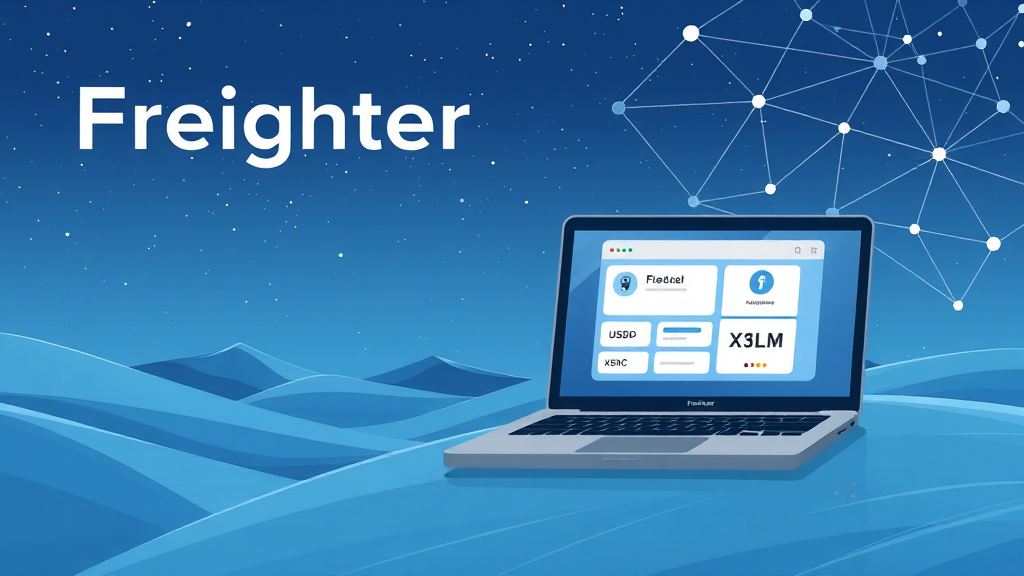
Freighter Wallet: The Complete Guide to Managing Stellar Assets with Ease

Category : Technology

Freighter Wallet: The Complete Guide to Managing Stellar Assets with Ease

In the rapidly evolving world of blockchain technology, the way we store, send, and interact with digital assets has become more important than ever. For users of the Stellar network, one name stands out as a reliable and user-friendly solution: the freighter wallet. Whether you are a seasoned crypto enthusiast or just beginning your journey with Stellar, understanding what Freighter offers can significantly enhance your experience. This guide will walk you through everything you need to know about this non-custodial wallet, from its core features to practical tips for daily use.

What is the Freighter Wallet?

Freighter is a non-custodial Stellar wallet designed to give users full control over their digital assets. Unlike custodial wallets where a third party holds your private keys, Freighter ensures that you are the sole guardian of your funds. This means that you, and only you, have access to your Stellar assets, including lumens (XLM) and other tokens issued on the network, such as USDC.

The wallet is available as a browser extension and a mobile application, making it accessible across different devices. Its primary goal is to simplify the process of interacting with the Stellar ecosystem while maintaining the highest standards of security. By integrating seamlessly with Stellar apps, Freighter acts as a bridge between you and the decentralized applications (dApps) built on Stellar.

Key Features of the Freighter Wallet App

The freighter wallet app comes packed with features that cater to both beginners and advanced users. Here are some of the standout capabilities:

  • Non-Custodial Control: Your private keys are stored locally on your device, never on a central server. This reduces the risk of hacks and theft.
  • Multi-Asset Support: Beyond XLM, you can hold and transact with any Stellar-based token, including fiat-backed stablecoins like USDC.
  • Built-In Swap Function: Freighter includes a simple swap feature that allows you to exchange assets directly within the wallet, without needing to visit an external exchange.
  • DApp Browser: The wallet enables you to browse and connect to Stellar applications, such as decentralized exchanges (DEXs) and NFT marketplaces, all from one interface.
  • Hardware Wallet Integration: For enhanced security, Freighter supports integration with Ledger hardware wallets, allowing you to sign transactions without exposing your keys online.

How to Set Up Freighter: A Step-by-Step Guide

Getting started with Freighter is straightforward. Follow these steps to create your wallet and begin managing your Stellar assets:

  1. Download the Extension or App: Visit the official Freighter website or your device’s app store to download the wallet. Ensure you are downloading from a trusted source to avoid phishing attempts.
  2. Create a New Wallet: Open the app and select “Create New Wallet.” You will be prompted to create a password. This password encrypts your local data.
  3. Backup Your Recovery Phrase: Freighter will generate a 12-word recovery phrase. Write it down and store it in a secure location. This phrase is the only way to recover your wallet if you lose access to your device. Never share it with anyone.
  4. Confirm Your Phrase: The wallet will ask you to confirm a few words from your recovery phrase to ensure you have saved it correctly.
  5. Start Using Your Wallet: Once verified, you can begin sending and receiving assets. Your public address (starting with ‘G’) is your wallet identifier, which you can share to receive funds.

Why Choose a Non-Custodial Stellar Wallet?

The philosophy behind non-custodial wallets is rooted in the core principles of blockchain: decentralization and self-sovereignty. By using a non-custodial wallet like Freighter, you eliminate the need to trust a third party with your funds. This is particularly important in the crypto space, where exchange hacks and insolvencies have led to significant user losses.

Moreover, a non-custodial wallet gives you the freedom to interact directly with the Stellar network. You can participate in token sales, use decentralized exchanges, and engage with smart contracts without intermediaries. This direct access not only reduces fees but also ensures that your transactions are executed exactly as you intend.

Exploring Stellar Apps with Freighter

One of the most compelling reasons to use Freighter is its ability to connect with a wide array of Stellar applications. The Stellar ecosystem is vibrant, with projects ranging from cross-border payment solutions to tokenized securities. Freighter acts as your gateway to these applications, allowing you to log in and interact with them seamlessly.

For example, you can use Freighter to trade assets on Stellar DEXs, mint NFTs on Stellar-based platforms, or even participate in community governance. The wallet’s built-in browser makes it easy to navigate these apps without having to leave the wallet interface. This integration not only saves time but also enhances security, as you do not need to expose your private keys to multiple platforms.

Security Best Practices for Your Freighter Wallet

While Freighter is designed with robust security measures, your actions play a crucial role in keeping your assets safe. Here are some best practices to follow:

  • Never Share Your Recovery Phrase: Your recovery phrase is the master key to your wallet. Anyone who has it can access your funds. Store it offline, preferably in a safe or a secure password manager.
  • Enable Hardware Wallet Support: If you hold significant amounts of crypto, consider using a Ledger device in conjunction with Freighter. This adds an extra layer of security by requiring physical confirmation for transactions.
  • Beware of Phishing Sites: Always double-check the URL of the website you are using to download Freighter or access Stellar apps. Scammers often create fake sites that look identical to the official ones.
  • Keep Your Software Updated: Regularly update the Freighter extension and mobile app to benefit from the latest security patches and features.

Frequently Asked Questions

Is Freighter wallet free to use?

Yes, Freighter is completely free to download and use. The wallet does not charge any fees for its services. However, standard Stellar network transaction fees apply, which are typically very low (a fraction of a lumen).

Can I use Freighter for other cryptocurrencies like Bitcoin or Ethereum?

No, Freighter is specifically designed for the Stellar network. It supports XLM and any tokens issued on Stellar, such as USDC. For Bitcoin or Ethereum, you would need a different wallet that supports those blockchains.

What happens if I lose my device or forget my password?

If you lose your device, you can recover your wallet using your 12-word recovery phrase on a new device. If you forget your password but still have access to your device, you may be able to reset it using your recovery phrase. If you lose both your password and your recovery phrase, your funds are irrecoverable. Always back up your phrase securely.

How do I connect Freighter to a Stellar app?

Most Stellar apps have a “Connect Wallet” button. Click it, and a list of supported wallets will appear. Select Freighter, and a popup will ask you to approve the connection. Once approved, you can interact with the app using your Freighter wallet.

Conclusion

The freighter wallet is more than just a storage solution; it is a comprehensive tool that empowers you to take full advantage of the Stellar blockchain. Its non-custodial nature, combined with a user-friendly interface and seamless dApp integration, makes it an ideal choice for both newcomers and experienced users. By following the setup guide and security practices outlined above, you can confidently manage your Stellar assets and explore the growing ecosystem of Stellar applications. Whether you are sending USDC across borders or trading tokens on a DEX, Freighter provides the reliability and control you need in the decentralized world.

Readers who are interested in this topic will benefit from exploring multiple perspectives and understanding the nuanced approaches that industry leaders recommend. Taking time to research thoroughly ensures better outcomes and more informed decision-making.

Those looking to gain deeper knowledge in this area should consider following expert analysis, staying updated with the latest developments, and engaging with professional communities where these topics are discussed in detail.

A comprehensive understanding of this subject requires looking at both theoretical foundations and practical applications. By combining study with hands-on experience, learners can develop a well-rounded perspective that serves them well in real-world scenarios.

As the landscape continues to shift and evolve, staying informed about emerging trends and best practices becomes increasingly valuable. This ensures you remain competitive and capable of adapting to new challenges as they arise.


winbuzz app: Your Ultimate Companion for Smarter Everyday Decisions

Category : Technology

winbuzz app: Your Ultimate Companion for Smarter Everyday Decisions

In today’s fast-paced digital world, mobile applications have become essential tools for managing our daily lives. Among the myriad of options available, the stands out as a versatile and user-friendly platform designed to enhance productivity, streamline communication, and provide valuable insights. Whether you are a student, a professional, or someone who simply loves to stay organized, this app offers a range of features that cater to your needs. In this comprehensive article, we will explore the various aspects of the winbuzz app, its key features, benefits, and how it can transform the way you approach your daily tasks.

The modern user expects more from their applications. Gone are the days when a simple calculator or a note-taking app sufficed. Today, we seek integrated solutions that combine multiple functionalities into a seamless experience. The delivers exactly that by offering a suite of tools that work harmoniously together. From task management to real-time collaboration, the app is built to simplify complexity and empower users to achieve more with less effort.

What is the winbuzz app?

The winbuzz app is a comprehensive mobile application that serves as a personal assistant, organizational hub, and information source all in one. It is designed to help users stay on top of their schedules, set reminders, track habits, and access curated content that matters to them. Unlike many single-purpose apps, winbuzz integrates various functionalities into a single, intuitive interface, making it a one-stop solution for everyday challenges.

One of the most appealing aspects of the winbuzz app is its adaptability. Whether you need to manage a busy work schedule, plan a personal project, or simply keep track of daily chores, the app can be customized to fit your lifestyle. Its clean design and straightforward navigation ensure that even first-time users can quickly grasp its capabilities and start benefiting immediately.

Key Features of the winbuzz app

The winbuzz app is packed with features that make it stand out in a crowded marketplace. Here are some of the most notable ones:

  • Smart Task Management: Create, organize, and prioritize tasks with ease. The app allows you to set deadlines, add labels, and categorize tasks based on projects or urgency. Its visual board and list views give you flexibility in how you manage your to-do lists.
  • Integrated Calendar: Sync your events, meetings, and personal appointments into a single calendar view. The winbuzz app offers color-coded events and reminders, ensuring you never miss an important date.
  • Habit Tracker: Building good habits is easier with the app’s built-in tracker. You can set daily or weekly goals, monitor your progress, and receive motivational nudges to keep you on track.
  • Note-Taking & Documentation: Capture ideas, meeting notes, or web clippings directly within the app. The notes feature supports rich text formatting, images, and checklists, making it a powerful tool for documentation.
  • Collaboration Tools: Share lists, projects, or notes with friends, family, or colleagues. Real-time syncing ensures that everyone is on the same page, fostering efficient teamwork.
  • Curated Content Feed: The app provides a personalized feed of articles, tips, and news based on your interests. This helps you stay informed without having to switch between multiple apps.

These features are designed to work together seamlessly, providing a cohesive user experience that enhances productivity and reduces clutter. The winbuzz app is not just about managing tasks; it’s about creating a more organized and informed life.

How the winbuzz app Enhances Productivity

Productivity is a key concern for many individuals, and the addresses this by offering tools that streamline workflows and minimize distractions. One of the primary ways it does this is through its integrated task management system. Instead of juggling multiple apps for different tasks, you can consolidate everything into one place. This reduces the cognitive load and allows you to focus on what truly matters.

Moreover, the app’s smart reminders and notifications ensure that you stay on schedule. You can set recurring reminders for daily routines, weekly reports, or project milestones. The app’s intelligent algorithm can even suggest optimal times for tasks based on your previous behavior, helping you work smarter, not harder.

Another productivity booster is the ability to create templates for repetitive tasks. For instance, if you frequently plan weekly meetings, you can save a template with predefined agendas and action items. This saves time and ensures consistency across all your activities.

User Experience and Interface

The winbuzz app places a strong emphasis on user experience (UX) and interface design. The moment you launch the app, you are greeted with a clean, modern interface that is both aesthetically pleasing and functional. The navigation is intuitive, with a bottom tab bar that gives you quick access to the main sections: Home, Tasks, Calendar, Notes, and Profile.

Each section is designed with the user in mind. The Home screen provides a snapshot of your day, including upcoming tasks, appointments, and a motivational quote. The Tasks section allows you to view your to-do list in a simple list format or a Kanban board, depending on your preference. The Calendar integrates seamlessly with your tasks, showing deadlines and events side-by-side.

Furthermore, the app supports dark mode, which is easy on the eyes during nighttime use. It also offers various themes and accent colors, allowing users to personalize the app’s appearance to match their style. This level of customization enhances the overall user experience, making the app feel truly yours.

Security and Privacy: A Top Priority

In an era where data breaches and privacy concerns are rampant, the takes security seriously. The app uses end-to-end encryption for all data transmitted between your device and its servers. This means that your tasks, notes, and personal information are protected from unauthorized access.

Additionally, the app offers biometric authentication options such as fingerprint or facial recognition to unlock the app. This adds an extra layer of security, ensuring that only you can access your sensitive information. The app also allows you to set up two-factor authentication (2FA) for an even more robust defense against potential threats.

Privacy is also respected in terms of data collection. The winbuzz app does not sell your personal data to third parties. It only collects anonymized usage statistics to improve the app’s performance and features. You can easily view and manage your data within the app’s settings, giving you full control over your information.

Comparing the winbuzz app with Other Productivity Apps

There are numerous productivity apps available in the market, such as Todoist, Notion, and Trello. While these are excellent tools, the winbuzz app differentiates itself by offering a more integrated and user-friendly experience. Unlike Todoist, which focuses primarily on task management, winbuzz combines tasks, calendar, notes, and habit tracking in one place. This eliminates the need to switch between different apps and reduces the learning curve.

Compared to Notion, which is highly customizable but can be overwhelming for new users, the winbuzz app offers a more straightforward approach. It provides just the right amount of features without the complexity. Trello is great for project management, but it lacks the personal habit tracking and content curation that winbuzz offers.

Moreover, the winbuzz app is designed with a mobile-first approach, ensuring that the experience is optimized for smartphones. This is crucial for users who are constantly on the go and need quick access to their tasks and notes. The app’s performance is smooth, with minimal loading times and no noticeable lag, even when handling large amounts of data.

How to Get Started with the winbuzz app

Getting started with the is a breeze. The app is available for both iOS and Android platforms, and you can download it from the respective app stores. Once installed, you can sign up using your email address or social media accounts. The onboarding process is quick and guides you through the basic features, helping you set up your profile and preferences.

After the initial setup, you can start creating tasks, adding events, and exploring the various features. The app also offers a tutorial section with helpful tips and tricks to maximize your usage. If you encounter any issues, the support team is responsive and can be reached through in-app chat or email.

One of the best ways to get the most out of the winbuzz app is to integrate it into your daily routine. Start by adding your daily tasks and setting reminders. Over time, you’ll find that the app becomes an indispensable part of your life, helping you stay organized and productive.

Future Updates and Community Feedback

The team behind the winbuzz app is committed to continuous improvement. They regularly release updates that introduce new features, enhance existing ones, and fix any bugs. The app has a dedicated community forum where users can share feedback, suggest improvements, and vote on upcoming features. This collaborative approach ensures that the app evolves according to the needs of its users.

Recent updates have included a more advanced analytics dashboard, which provides insights into your productivity patterns. You can see how many tasks you’ve completed, your most productive hours, and your streaks for habits. This data can help you identify areas for improvement and celebrate your achievements.

FAQs

Is the winbuzz app free to use?

Yes, the winbuzz app offers a free version that includes all the core features such as task management, calendar, notes, and habit tracking. There is also a premium version that unlocks advanced features like unlimited projects, custom themes, and priority support. The premium subscription is available at a competitive price and can be cancelled anytime.

Can I sync the winbuzz app across multiple devices?

Absolutely! The winbuzz app syncs your data in real-time across all your devices. Whether you’re using your smartphone, tablet, or desktop, you’ll always have the latest version of your tasks and notes. Simply log in to your account on each device, and the app will automatically sync.

Does the winbuzz app work offline?

Yes, the winbuzz app has offline capabilities. You can access and edit your tasks, notes, and calendar even without an internet connection. Once you’re back online, the app will sync your changes to the cloud. This is particularly useful for users who travel or have unreliable internet access.

How does the winbuzz app protect my data?

Data security is a top priority for the winbuzz app. All data is encrypted using industry-standard protocols. Additionally, you can enable biometric authentication and two-factor authentication for an extra layer of security. The app also adheres to strict privacy policies, ensuring that your personal information is never sold to third parties.

Conclusion

In conclusion, the is a powerful, all-in-one productivity solution that can significantly improve the way you manage your daily life. Its intuitive design, robust feature set, and strong focus on security make it a standout choice among productivity apps. Whether you are looking to organize your tasks, track your habits, or simply stay informed, the winbuzz app has something to offer. With its continuous updates and responsive community, it is a tool that will grow with you. Download the winbuzz app today and take the first step towards a more organized and productive tomorrow.